 Học tiếng Anh qua hình ảnh
WIIC — What Is It Called?
Nhìn hình, nghe câu hỏi, đoán từ tiếng Anh trước khi hết giờ. WIIC biến việc học từ vựng thành một trò chơi ngắn, vui, chơi được cùng cả nhà, kèm chế độ quay video phản ứng để chia sẻ với bạn bè.
- Android
- iOS
- Web
- Không cần đăng nhập
WIIC là gì?
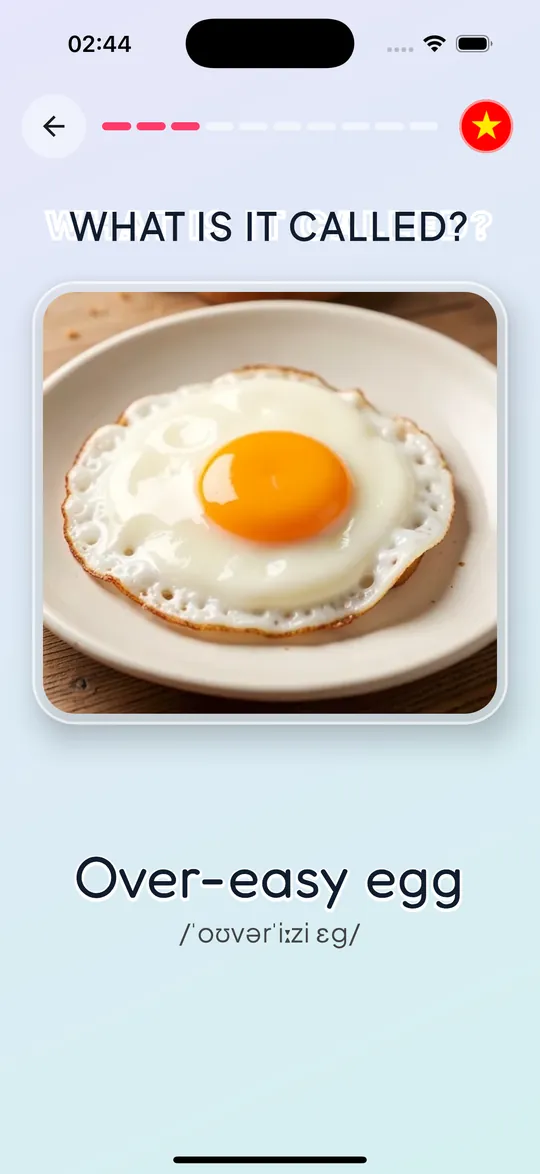
“What is it called in English?” là câu hỏi mà trẻ em và người mới học tiếng Anh gặp hằng ngày. WIIC trả lời câu hỏi đó bằng hình ảnh thật: mỗi lượt chơi hiện một bức ảnh, ứng dụng đọc câu hỏi, bạn có vài giây để nói to đáp án, rồi WIIC hiện từ đúng kèm phiên âm và giọng đọc chuẩn. Một bộ gồm nhiều từ cùng chủ đề và chạy tự động từ đầu đến cuối, nên bạn chỉ cần nhìn, nghĩ và nói.
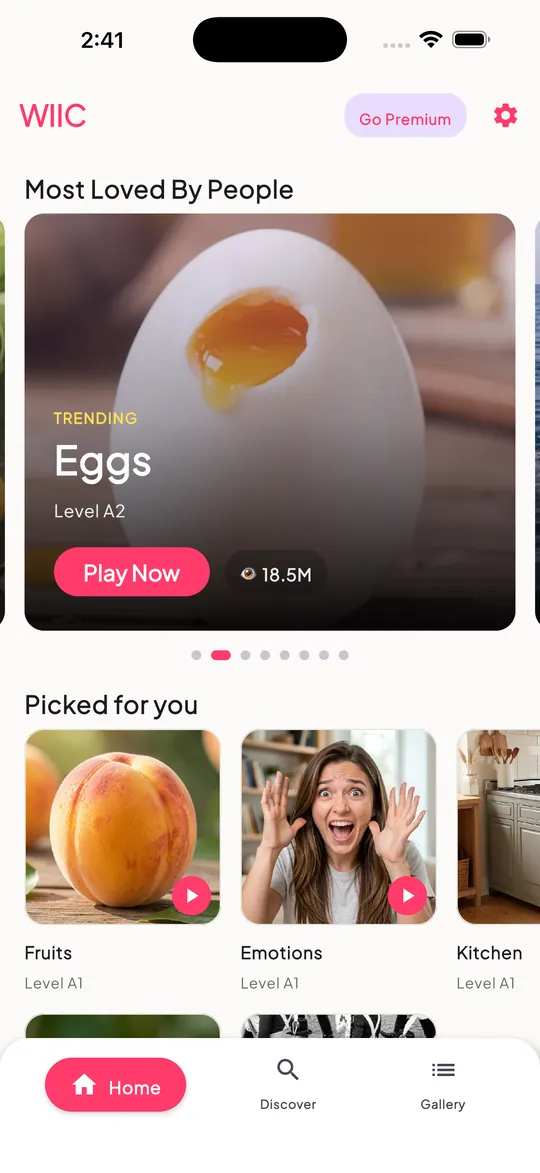
Từ vựng được chia thành nhiều chủ đề gần gũi như Food & Drinks, Animals & Pets, Emotions & Feelings, Home & Furniture, Transportation, Weather & Seasons, School & Study, Countries & Flags, World Landmarks và nhóm Tricky Words dành cho những từ dễ nhầm. Mỗi bộ được gắn cấp độ CEFR từ A1 (mới bắt đầu) đến B2 (trung cấp).
Một lượt chơi diễn ra thế nào?
- Chọn chủ đề và bộ từ trên trang chủ. Chủ đề xếp theo chiều dọc, các bộ từ trong mỗi chủ đề xếp theo chiều ngang, sắp xếp theo mức độ thịnh hành hoặc mới nhất.
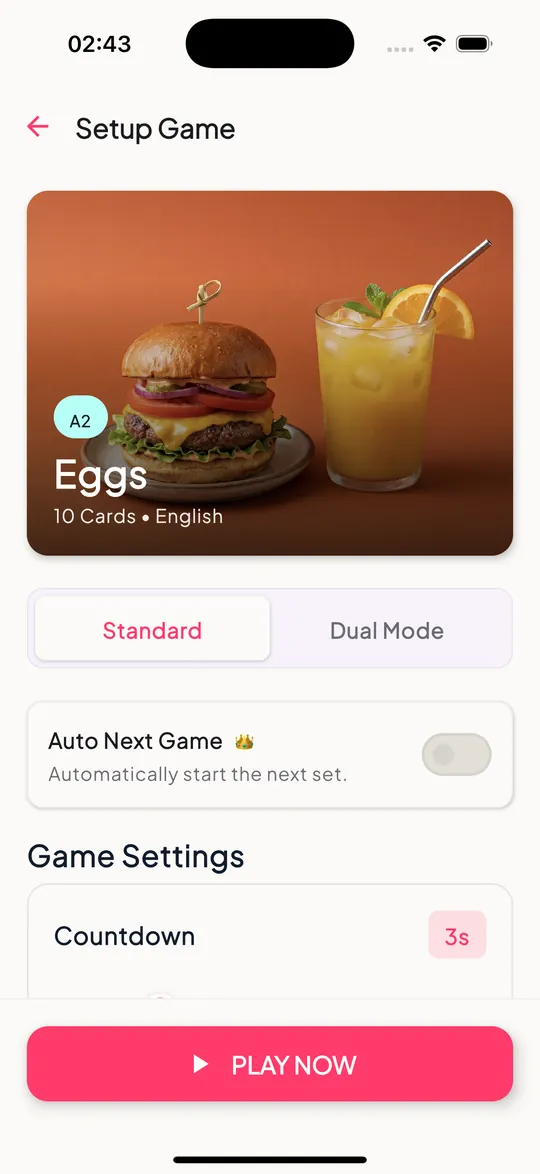
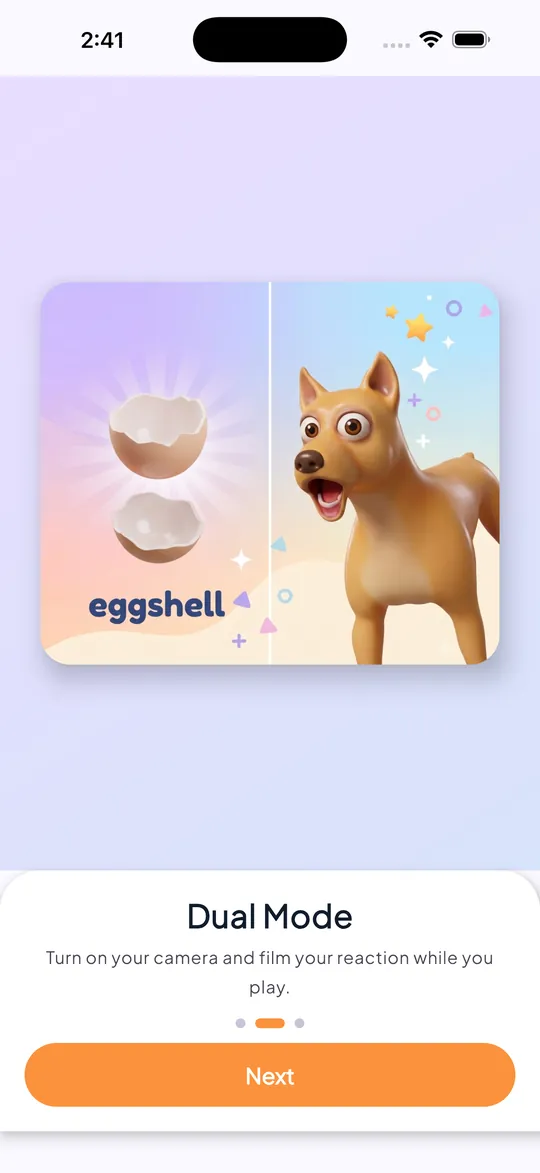
- Chọn chế độ: Standard để luyện tập, hoặc Dual để vừa chơi vừa quay lại phản ứng của bạn.
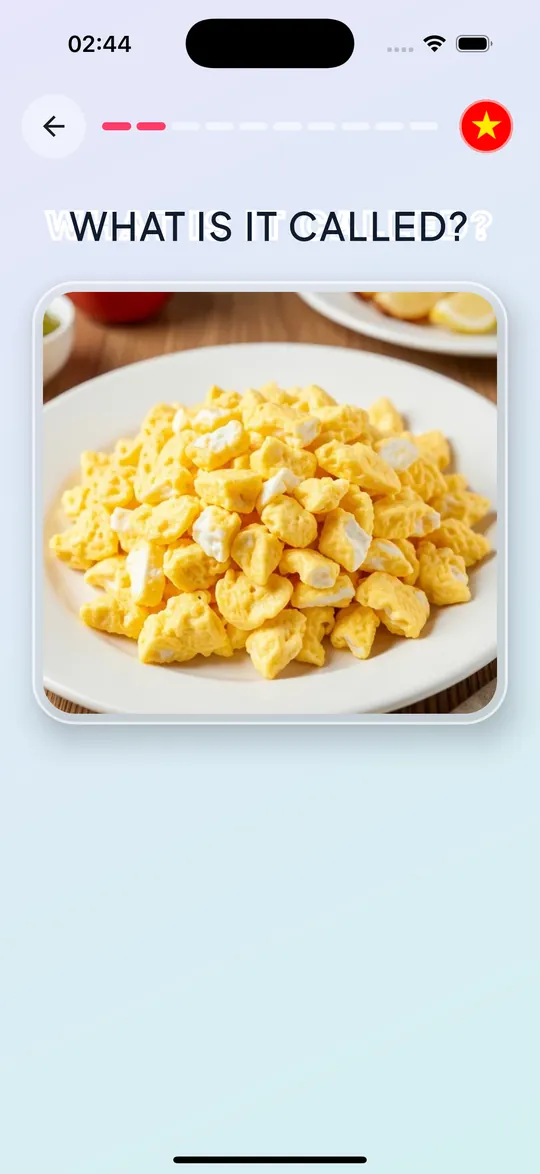
- Nhìn ảnh và nghe câu hỏi. Đồng hồ đếm ngược (mặc định 3 giây) để bạn đoán và nói to đáp án.
- Xem đáp án kèm phiên âm, nghe giọng đọc và bản dịch sang ngôn ngữ của bạn.
- Hoàn thành bộ để xem kết quả, chơi lại, chơi tiếp bộ sau hoặc đổi chủ đề.
Bên trong ứng dụng
Vì sao người học thích WIIC
Học bằng hình ảnh và âm thanh
Liên kết từ với hình ảnh thật và giọng đọc giúp ghi nhớ nhanh hơn so với học thuộc danh sách từ khô khan.
Chạy tự động, không cần chạm
Ảnh, câu hỏi, đếm ngược và đáp án tự chuyển liên tục. Rất hợp để cả nhà cùng chơi trên một màn hình.
Chế độ Dual kiểu Duet
Camera trước quay lại khoảnh khắc bạn đoán, có filter màu, trang điểm và sticker 2D, rồi ghép thành video sẵn sàng chia sẻ.
Dịch sang 14 ngôn ngữ
Đáp án hiển thị kèm bản dịch, giúp người học ở nhiều quốc gia hiểu nghĩa ngay.
Video riêng tư 100%
Video được xử lý ngay trên thiết bị, không tải lên máy chủ, không watermark, và chỉ lưu khi bạn bấm Save.
Không cần tài khoản
Mở ứng dụng là chơi. Cài đặt và ngôn ngữ được lưu theo thiết bị.
Mẹo học từ vựng hiệu quả với WIIC
- Nói to đáp án trước khi đồng hồ về 0. Việc tự nhớ lại (active recall) giúp từ vựng bám lâu hơn nhiều so với chỉ nhìn.
- Chơi lại một bộ sau 1–2 ngày. Lặp lại có khoảng cách là cách đơn giản nhất để chuyển từ mới vào trí nhớ dài hạn.
- Bắt chước giọng đọc ngay khi nghe đáp án, chú ý trọng âm trong phiên âm.
- Bắt đầu từ chủ đề quen thuộc như đồ ăn, con vật, đồ dùng trong nhà, rồi chuyển dần sang chủ đề khó hơn như thành phố, nghề nghiệp, địa danh thế giới.
- Thi đấu cả nhà: mỗi người một bộ, dùng chế độ Dual để quay lại và xem ai đoán nhanh nhất.
Miễn phí và gói Premium
Bộ từ đầu tiên được mở miễn phí sau khi xem một quảng cáo có thưởng. Để mở toàn bộ các bộ từ và tự động chuyển sang bộ tiếp theo (Auto Next Game), bạn có thể đăng ký gói Tuần, Tháng hoặc Năm qua Google Play hoặc App Store. Gói tự gia hạn và có thể hủy bất cứ lúc nào trong cài đặt tài khoản của cửa hàng.
FAQ
WIIC phù hợp với độ tuổi nào?
Ứng dụng dành cho người học tiếng Anh ở trình độ A1–B2. Trẻ nhỏ nên chơi cùng phụ huynh, đặc biệt khi dùng chế độ Dual có camera.
Ứng dụng có cần đăng nhập không?
Không. Bạn có thể chơi ngay mà không cần tạo tài khoản.
Video quay ở chế độ Dual có bị tải lên mạng không?
Không. Video được xử lý hoàn toàn trên thiết bị và chỉ được lưu vào thư viện ảnh khi bạn bấm Save.
Khi nào có bản iOS?
Bản Android đã có trên Google Play. Bản iOS đang được hoàn thiện; hãy theo dõi trang này hoặc fanpage của studio để nhận thông báo.
Làm sao để hủy gói Premium?
Vào Google Play › Thanh toán và gói thuê bao (hoặc Cài đặt › Apple ID › Đăng ký trên iPhone) và chọn hủy. Bạn vẫn dùng được Premium tới hết kỳ đã thanh toán.
Bắt đầu đoán từ ngay hôm nay
Miễn phí trên iOS và Android, không cần tài khoản.
Learn English with pictures
WIIC — What Is It Called?
See a picture, hear the question, and guess the English word before time runs out. WIIC turns vocabulary practice into a short, fun game the whole family can play, plus a reaction-video mode to share with friends.
- Android
- iOS
- Web
- No sign-in
What is WIIC?
“What is it called in English?” is a question children and beginners ask every day. WIIC answers it with real pictures: each round shows a photo, reads the question aloud, gives you a few seconds to say the answer, then reveals the correct word with phonetics and a clear voice. A set contains several words on one topic and plays automatically from start to finish, so all you need to do is look, think and speak.
Vocabulary is grouped into everyday topics such as Food & Drinks, Animals & Pets, Emotions & Feelings, Home & Furniture, Transportation, Weather & Seasons, School & Study, Countries & Flags, World Landmarks and a Tricky Words group for easily confused words. Every set is tagged with a CEFR level from A1 (beginner) to B2 (upper-intermediate).
What happens in a round?
- Pick a topic and a set on the home feed. Topics scroll vertically, sets within each topic scroll horizontally, sorted by trending or newest.
- Choose a mode: Standard for practice, or Dual to record your reactions while you play.
- Look at the picture and listen. A countdown (3 seconds by default) gives you time to say your answer out loud.
- See the answer with phonetics, hear it spoken and read the translation in your language.
- Finish the set to see your results, replay, move on to the next set or switch topics.
Inside the app
Why learners love WIIC
Learn with images and sound
Linking words to real pictures and voice helps you remember faster than memorising dry word lists.
Hands-free rounds
Picture, question, countdown and answer flow automatically. Great for the whole family around one screen.
Duet-style Dual mode
The front camera captures your guessing moment with colour, makeup and sticker filters, then stitches it into a share-ready video.
Translations in 14 languages
Answers come with a translation so learners from many countries understand the meaning right away.
100% private video
Video is processed on your device, never uploaded, has no watermark and is only saved when you tap Save.
No account needed
Open the app and play. Settings and language are stored on the device.
Tips for learning vocabulary with WIIC
- Say the answer out loud before the timer hits zero. Active recall makes words stick far better than just looking.
- Replay a set after 1–2 days. Spaced repetition is the simplest way to move new words into long-term memory.
- Shadow the voice right after you hear the answer and pay attention to the stress shown in the phonetics.
- Start with familiar topics like food, animals and things at home, then move on to harder ones such as cities, jobs and world landmarks.
- Make it a family challenge: one set each, record with Dual mode and see who guesses fastest.
Free and Premium
The first set unlocks for free after watching a rewarded ad. To unlock every set and automatically continue to the next one (Auto Next Game), you can subscribe weekly, monthly or yearly through Google Play or the App Store. Subscriptions renew automatically and can be cancelled at any time in your store account settings.
Frequently asked questions
Who is WIIC for?
English learners at A1–B2 level. Young children should play with a parent, especially when using Dual mode with the camera.
Do I need to sign in?
No. You can start playing straight away without creating an account.
Are Dual mode videos uploaded anywhere?
No. Video is processed entirely on your device and only saved to your gallery when you tap Save.
When is the iOS version coming?
The Android version is live on Google Play. The iOS version is being finished; follow this page or the studio's Facebook page for news.
How do I cancel Premium?
Go to Google Play › Payments & subscriptions (or Settings › Apple ID › Subscriptions on iPhone) and cancel. Premium stays active until the end of the paid period.
Start guessing today
Free on iOS and Android, no account needed.